
Main Menu
Subscribe to OIS Pro & Get OIS eCommerce FREE for 90 Days - Expires 7/22
Boost field sales with OIS Pro and stop missing after-hours orders with a second 24/7 digital storefront—included for $0 for 90 days. Turn one subscription into two sales channels.
Order Management Software for Inside Sales Teams
Take B2B phone and email orders from your desktop with OIS Central. Give inside sales reps customer history, product catalogs, pricing, promotions and inventory visibility in one order-taking workflow.
Order Management Software for Inside Sales Teams
Take B2B phone and email orders from your desktop with OIS Central. Give inside sales reps customer history, product catalogs, pricing, promotions and inventory visibility in one order-taking workflow.
Inside Sales Software for Wholesale Distributors

Inside Sales Team
Inside Sales Rep
- Access to Customer Data That Builds Relationships
- Place Orders, Credits Returns, Payments & More
- Digital Catalog with Product Images
- Inventory Visibility

Inside Sales Manager
Inside Sales Management
- Business Metrics Dashboard
- Inside Sales & Performance Reports
- Quickly Onboard New Team Members
- Setup Pricing, Discounts & Trade Promotions

B2B Wholesale Distributor Owner/Manufacturer
Operations Management
- Business Metrics Dashboard
- Account Mgmt. Assigned by Role
- Inventory Visibility
- Inside Sales & Performance Reports

Avoid the Top 5 Mistakes Wholesale Distributors Make
Are you making one of the top 5 mistakes that plague wholesale distributors? Download our free eBook to find out.
B2B Sales Order Entry with OIS Central
OIS Central Cloud ERP is order management software for inside sales teams at wholesale distributors and manufacturers. Reps can review a customer’s order history, find products in a digital catalog, check stock and pricing, and enter the order from a desktop computer.
Use the same order-entry workflow for requests received by phone or email. Keep customer details, product units, discounts and the requested delivery date available while building the order.
FEATURES
Desktop Sales Order Entry
Enter customer orders from a desktop while handling phone or email requests.
User-Friendly App
Give order-desk staff an interface focused on entering and reviewing customer orders.
Customer Details & Order History
Review customer information and previous orders before discussing the next purchase.
Digital Product Catalog
Find products with images, pricing, selling units and discounts in the digital catalog.
Pricing & Trade Promotion Visibility
Review pricing and trade promotions while creating the customer’s order.
Assign Ship Dates
Select the requested delivery date as part of order entry.
A Practical Inside Sales Order Workflow
1. Review the customer account
Open the customer details and previous orders. Confirm the products and quantities requested by phone or email.
2. Build and check the sales order
Use the catalog to review product units, pricing, promotions and stock information. Enter the order and select the requested delivery date.
3. Follow the order and sales activity
Use order, invoice and payment visibility to answer follow-up questions. Managers can review sales reports and goals while the wider operation handles its configured fulfillment and delivery workflow.
When evaluating an alternative to manual order entry in an ERP, test the complete process with your own customer orders. Compare the time spent finding information, entering lines and correcting errors.

"
Excellent service and customizing my application was created by expert programmers who were attentive to all the requirements, also have excellent customer service department to take kindly to be aware of our needs from day to day. Thanks Orders In Seconds
"
Armando Esquivel
Owner

Connect Inside Sales with Your Other Sales Channels
OIS Central supports inside sales, field sales and eCommerce workflows within the Orders in Seconds ecosystem. Give managers a view of customer interactions, orders and business metrics, with account visibility assigned by role.
Explore the mobile sales app for field reps and B2B eCommerce ordering app to plan how office-led and customer-led orders fit your operation. Confirm the modules and connections required for your setup.
FEATURES

Sales Channel Visibility
Manage your configured sales channels through the OIS Central dashboard.

Business Metric Dashboard
Gain a bird's eye view of store visits, sales orders, payments, inventory, etc.

Manage Inside Sales Teams
View sales rep and customer interactions to identify sales opportunities.

Manage Sales Goals
Stay on top of KPIs to ensure sales quotas are met.

Inventory Visibility
View the day’s stock inventory by top sellers, and out-of-stock products.

Track Orders, Invoices & More
Quickly access daily sales transactions, credit memos, and payments.

At Hand Reporting
Enhance productivity with reports that swiftly identify opportunities and challenges.
Connect Order Entry with ERP & Accounting
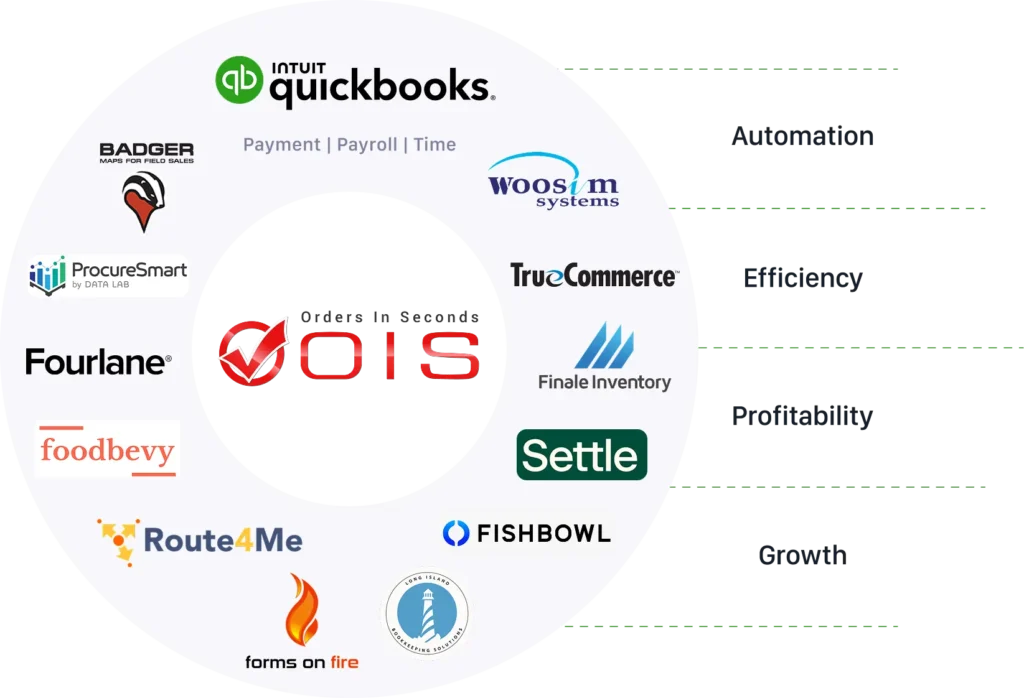
OIS Central can exchange information with supported ERP or accounting systems, including orders, invoices, pricing, payments, inventory and customer data. It can also operate as a standalone solution for businesses without an ERP or accounting integration.
Review the OIS QuickBooks integration and bring your current software edition, required records and update timing to a demo. Confirm the supported data flows for your configuration.

Advanced QuickBooks
Solution Provider
Trusted partner of Intuit QuickBooks certified
in QuickBooks Online and Enterprise.

More Benefits
Reduce Manual Order Entry Errors
Keep customer, product and pricing information available during order entry to help reduce mistakes.
Data-Driven Insights
Analyze sales trends, customer behavior, and order patterns to refine sales strategies using reports.
Account Mgmt. Assigned by Role
Configure account visibility of customers or business metrics by role or internal rep.
At Hand Inventory Visibility
Review product stock counts when discussing availability with a customer.
Orders in Seconds Ecosystem
One-Stop Shop for Manufacturers and Wholesalers
OIS Central supports the order desk within the wider Orders in Seconds ecosystem. Explore our B2B order management software for the broader business workflow, including related sales, warehouse and delivery solutions.
Inside Sales Order Management FAQs
Orders in Seconds is the company behind OIS Central Cloud ERP and the OIS Pro, OIS eCommerce, OIS Inventory and OIS Delivery apps. OIS Central supports order management for wholesale distributors and manufacturers, including inside sales teams taking customer orders by phone and email.
It brings the information needed for a customer order into the rep’s workflow. With OIS Central, inside sales reps can review customer history, browse products, check pricing and stock, enter orders, and assign requested delivery dates. Managers can review orders and sales activity through dashboards and reports.
OIS Central supports inside sales alongside the wider OIS field sales and eCommerce solutions. Inside reps work from the order desk, while field reps use the mobile sales app. Discuss the channels, modules, account access and integration requirements you need in the demo.
An inside sales rep can enter the customer’s requested products and quantities from a desktop, using the catalog, order history, pricing and inventory information to review the order. Confirm units, discounts and the requested delivery date before proceeding. Ask separately about any document-import or automatic email-extraction requirement.
Yes. OIS Central provides customer details and order history, a digital catalog, pricing and trade-promotion visibility, and stock information. Reps can use that context to discuss repeat purchases and availability with the customer.
Managers can review customer interactions, sales reports, goals and business metrics. Account visibility can be configured by role or internal rep, helping teams define who can access customer accounts and business information.
OIS Central supports integrations that exchange business records such as orders, invoices, pricing, payments, inventory and customers. It can also be used standalone. Review the QuickBooks connection and confirm compatibility with your software edition and required data flows.
OIS Central serves distributors of packaged goods, including health and beauty products. Test the customer history, product units, pricing, promotions and delivery-date workflow using your own catalog. Confirm any specialized product or regulatory requirements before choosing a setup.
Review the current OIS pricing and request a quote for your users, modules and integrations. In the demo, time a representative order, count corrections and compare the steps with your current process. Productivity gains depend on your workflow and setup; measure them with your own order-desk team.

Free Wholesale Pricing Calculator
Determining the best pricing is tough work for even the most experienced distributor. Download our free calculator today!
Free Wholesale Pricing Calculator
Determining the best pricing is tough work for even the most experienced distributor. Download our free calculator today!